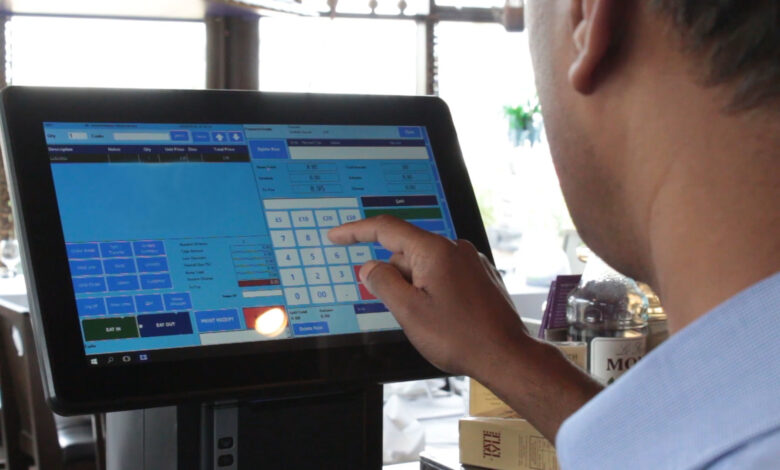
The modern UK hospitality industry moves fast. Whether you run a bustling London bistro, a cosy café in Edinburgh, or a neighbourhood pub in Manchester, efficiency is everything. Managing orders, payments, staff, and inventory without the right technology can quickly become overwhelming.
That’s why a Point of Sale (POS) system is no longer optional — it’s essential. More than a digital till, today’s POS systems act as the central hub of your restaurant’s operations, connecting every department from the kitchen to finance.
This guide breaks down what a POS system is, why it matters for UK restaurants, and how to set one up effectively for long‑term success.
What Is a POS System?
A POS (Point of Sale) system is the combination of hardware and software that enables restaurants to manage transactions and daily operations from a single platform.
Typical POS setup includes:
- Hardware: Touchscreen terminals, tablets, card readers, receipt printers, and cash drawers.
- Software: Handles orders, payments, reporting, inventory, and customer relationship management.
Modern POS systems also integrate with:
- Accounting and payroll systems.
- Online ordering and delivery apps like Deliveroo and Uber Eats.
- Inventory and supplier management tools.
- Customer loyalty, marketing, and reservation systems.
In short, a POS system acts as the digital backbone of your restaurant — streamlining service, improving accuracy, and reducing admin work.
Why UK Restaurants Need a POS System
In a market as competitive as the UK’s, the difference between thriving and struggling often comes down to efficiency. Here’s why a POS system is vital:
- Streamlined operations: Orders move seamlessly from the front of house to the kitchen, minimising delays.
- Accurate financial records: Automated reports simplify VAT and tax compliance.
- Inventory control: Track ingredient use and reduce waste in real time.
- Detailed customer insights: Learn preferences and personalise marketing.
- Flexible payments: Accept cards, mobile wallets, and contactless transactions securely.
Restaurants without a reliable POS risk slower service, inaccurate reporting, and lost revenue opportunities.
Types of POS Systems for UK Restaurants
Choosing the right type of POS depends on your business model, size, and long‑term goals.
1. Traditional POS Systems
Installed on‑site using dedicated terminals. Reliable and robust, but usually more expensive and less adaptable for multi‑location use.
2. Cloud‑Based POS Systems
Operate online and are accessible from tablets or smartphones. Ideal for UK restaurants that want remote management and real‑time data syncing across locations.
3. Mobile POS Systems
App‑based systems that run on tablets or smartphones. Perfect for small cafés, pop‑ups, or food trucks seeking flexibility with minimal upfront cost.
Each model offers different advantages — cloud and mobile systems are increasingly popular in the UK due to affordability and scalability.
Key Features to Look For
When setting up your POS, ensure it includes these essential restaurant‑specific features:
- Order Management: Dine‑in, takeaway, and delivery order entry with custom modifiers.
- Payment Processing: Accepts major UK payment types — card, cash, Apple Pay, Google Pay — with PCI compliance.
- Inventory Tracking: Monitors ingredient usage and automatically generates reordering alerts.
- Reporting & Analytics: Provides detailed sales reports, VAT summaries, and performance metrics.
- Customer Management: Integrates loyalty programmes, promotions, and feedback tracking.
- Integration Capabilities: Connects seamlessly to accounting, booking, and delivery software.
How to Set Up a POS System in the UK
Implementing your POS requires both planning and precision. Follow this structured process:
1. Assess Your Restaurant’s Requirements
- Evaluate your venue type, size, and service model — a fine‑dining restaurant’s needs differ from a takeaway’s.
- Identify must‑have features like inventory tracking, loyalty management, or multi‑site access.
- Budget realistically for hardware, software, monthly fees, and installation.
2. Choose the Right POS Provider
Compare systems that cater specifically to the UK hospitality market:
- POSApt: Ideal for pubs and quick‑service restaurants.
- Lightspeed: Cloud‑based and scalable, great for growing brands.
- Square: Cost‑effective and simple for small cafés.
- TouchBistro: Designed for hospitality, with strong table management tools.
- Vend (by Lightspeed): Excellent for multi‑site operations with accounting integration.
While functionality and brand alignment matter, affordability often becomes the deciding factor. Assessing POS system cost in UK hospitality settings means accounting for the full picture — ongoing licence fees, payment processing charges, equipment expenses, and paid extras that can add up over the life of the system.
A smart evaluation goes beyond price alone. Weigh the strength of features, quality of customer support, ease of use for staff, and how flexible the contract terms are. Balancing immediate requirements with future scalability helps ensure your POS investment continues to pay off as your business evolves.
3. Select and Install Hardware
Hardware requirements vary by setup but may include:
- Touchscreens or tablets.
- Cash drawers and receipt or kitchen printers.
- Card readers for chip‑and‑pin and contactless payments.
- Kitchen display systems (KDS).
Ensure compatibility across all components and position screens ergonomically for staff convenience.
4. Configure Software Settings
- Set up menus and pricing: Include modifiers, specials, and VAT rates.
- Assign user roles: Limit sensitive functions (like refunds) to managers.
- Connect integrations: Link to accounting tools, loyalty software, and delivery platforms.
A well‑configured POS minimises confusion during service and delivers reliable data from day one.
5. Train Your Team
A great system is only as good as the people using it.
- Conduct hands‑on training sessions for front and back staff.
- Provide documentation or tutorial resources for easy reference.
- Schedule refresher courses for new staff.
Proper training ensures efficiency and avoids costly service disruptions.
6. Test Before Going Live
Before launching, simulate real transactions and scenarios.
- Place test orders.
- Check the accuracy of modifiers and price splits.
- Verify that all integrations (inventory, accounting, etc.) sync correctly.
Identifying problems now avoids headaches during a busy dinner service.
7. Monitor, Maintain, and Optimise
Once live, use your POS system to continuously enhance operations.
- Review analytics regularly for sales and waste trends.
- Collect staff feedback to identify workflow improvements.
- Keep software updated for security and new features.
Optimization is an ongoing process — the more you engage with your data, the stronger your restaurant’s performance will be.
Common Challenges and How to Avoid Them
UK restaurants often face predictable hurdles when adopting a new POS:
- High upfront costs: Choose subscription‑based or cloud systems to lower initial spend.
- Staff resistance: Involve your team early and highlight efficiency gains.
- Integrations failing: Verify compatibility between POS and existing tools before signing contracts.
- Unstable internet: Keep a backup connection or a POS that offers offline functionality.
Good planning and support mitigate these challenges quickly.
The Benefits at a Glance
A well‑implemented POS system can transform how your restaurant operates:
- Operational efficiency: Quicker orders, fewer errors, seamless workflows.
- Inventory control: Real‑time tracking and automatic restocks.
- Financial accuracy: Automated VAT compliance and sales reconciliation.
- Enhanced customer experience: Faster service, loyalty rewards, and personalisation.
- Data‑driven decisions: Insights into peak hours, popular menu items, and staff productivity.
- Scalability: Multi‑location management and cloud access for growing restaurant brands.
- Regulatory compliance: Built for UK standards — PCI, GDPR, and HMRC requirements.
Final Thoughts
A modern POS system is the cornerstone of successful restaurant management in the UK. It connects your operations, simplifies staff workflows, and gives you real‑time control of sales, stock, and customer relationships.
To implement yours successfully:
- Assess your business needs.
- Select a trusted, UK‑focused provider.
- Install and configure correctly.
- Train your staff thoroughly.
- Test and refine as you grow.
Whether you’re opening a café in Cardiff, running a gastropub in Manchester, or expanding your London chain, investing in the right POS system will give you the tools to scale efficiently, cut waste, and deliver a better experience for your guests.