Whether you’re a first-time buyer or upgrading after years, choosing the right PC for gaming can be confusing especially with endless options, flashy marketing terms, and complex specifications. It’s easy to make decisions based on price or aesthetics only to discover later that your system can’t deliver the performance you expected.
To help you make a smart, future-proof purchase, this guide breaks down the most common mistakes people make when buying a PC for gaming, along with tips to avoid them. Whether you’re purchasing a prebuilt system, building your own, or browsing gaming bundle deals, understanding these pitfalls will save you money, time, and frustration.
1. Prioritising Looks Over Performance
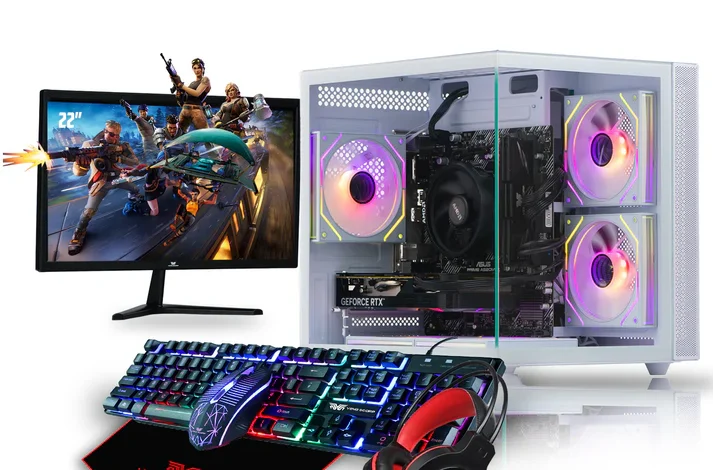
One of the most common mistakes buyers make is choosing a PC based purely on RGB lighting, a tempered glass case, or aesthetic appeal. While design matters, it should never come before performance.
The problem:
- A flashy PC can still have a weak GPU or outdated CPU.
- Many cheap prebuilts put the budget into RGB fans instead of actual gaming components.
- Buyers assume a cool-looking PC is automatically powerful this is false.
What to do instead:
- Always review the specifications before looking at aesthetics.
- Make sure your money goes first into CPU, GPU, RAM, and SSD storage.
- Choose RGB or design features only after confirming performance.
Remember: aesthetic upgrades don’t improve FPS components.
2. Ignoring the Graphics Card
The GPU is the single most important component in any pc for gaming, yet many beginners underestimate it or get misled by vague listings.
Common mistakes:
- Buying a PC with only integrated graphics.
- Buying older GPUs like the GTX 1030 or GT 710 thinking they’re “gaming-ready.”
- Paying for a system with a high-end CPU but a weak GPU.
How to avoid this:
Look for GPUs capable of solid 1080p performance:
Recommended GPUs (2024–2025):
- NVIDIA RTX 4060 / 4050
- NVIDIA RTX 3060 / 3050
- AMD RX 6600 / RX 7600
- Intel Arc A580 / A750
If a PC claims to be “gaming-ready,” but has no dedicated GPU, it’s not suitable for anything beyond ultra-light eSports games.
3. Choosing a Weak CPU That Bottlenecks Performance
A strong GPU needs an equally capable CPU. Buying a low-end or outdated CPU can reduce your overall gaming performance even if you have a great graphics card.
Mistakes include:
- Purchasing older CPUs like AMD A-series or Intel 4th/5th Gen.
- Choosing dual-core processors that struggle with modern games.
- Pairing an RTX GPU with a low-end or mismatched CPU.
Recommended CPUs for modern gaming:
- AMD: Ryzen 5 5500, 5600, 5600G, Ryzen 7 5700X
- Intel: i3-12100F, i5-12400F, i5-13400F
A good CPU ensures smooth gameplay, high FPS, and long-term usefulness.
4. Not Getting Enough RAM
Some buyers still settle for 8GB RAM because it’s cheaper. But in 2025, nearly all modern games, launchers, and browsers demand more memory.
Why it’s a mistake:
- 8GB causes stutters in games like Fortnite, Warzone, and Valorant.
- Multitasking becomes slow or impossible.
- Background apps (Discord, Chrome, Steam) increase RAM usage.
Best choice:
- 16GB DDR4 or DDR5 RAM is the minimum recommended for gaming.
- 32GB is ideal for streamers, creators, or heavy multitasking.
More RAM = smoother gameplay, faster loading, and future-proof performance.
5. Choosing HDD Over SSD Storage
Old-school hard drives are too slow for gaming today. Yet many budget PCs still include them as primary storage.
Issues with HDDs:
- Extremely slow boot times
- Long loading screens
- Stuttering in open-world games
- Sluggish system responsiveness
The fix:
Always choose at least:
- 500GB NVMe SSD
- or 500GB SATA SSD
You can add a larger HDD later for storing files.
6. Ignoring the Power Supply
One of the biggest mistakes people make is ignoring the PSU, even though it’s the component that protects everything in your PC.
The danger:
Cheap, no-name power supplies:
- Fail frequently
- Overheat
- Damage components
- Cause crashes or FPS drops
What to look for:
- Minimum 450W–600W
- 80+ Bronze certified or better
- Trusted brands like Corsair, EVGA, MSI, Cooler Master, NZXT
Never compromise on the PSU. It can make or break your entire build.
7. Overpaying for Outdated or Weak Prebuilt PCs
Many low-cost prebuilts are marketed as “gaming PCs” but use outdated components, low-end GPUs, or poor-quality motherboards. Some are overpriced just because they include RGB or a trendy case.
Red flags:
- GTX 750 Ti, GT 710, GTX 1030 listed as “gaming cards”
- Old Xeon processors disguised as “8-core gaming CPUs”
- Very cheap PCs under £250 claiming “high-end gaming”
Safer alternatives:
- Buy from reputable gaming PC stores
- Check component lists individually
- Compare benchmarks before buying
Good prebuilts offer value not deception.
8. Not Considering Upgrade Paths
A good pc for gaming should be upgrade-friendly. Many new buyers get locked into proprietary systems or motherboards that limit future improvements.
Problems with non-upgradable PCs:
- No extra RAM slots
- No NVMe SSD support
- Weak or outdated motherboard chipsets
- Low-watt PSUs blocking GPU upgrades
What to choose:
- Systems with standard ATX parts
- Motherboards with 4 RAM slots and NVMe support
- 500W+ PSU for future GPUs
Think long-term, not just immediate performance.
9. Forgetting About Cooling and Airflow
Even a powerful system will underperform without proper cooling.
Mistakes buyers make:
- Choosing a compact case with poor airflow
- Using only one rear fan
- Not checking CPU cooler quality
Proper cooling includes:
- At least 2–3 case fans
- A good stock cooler, or an aftermarket cooler for powerful CPUs
- A case with mesh front panel for airflow
Cool components = longer lifespan + better FPS.
10. Neglecting the Monitor and Peripherals
Your gaming experience isn’t just determined by your PC. The monitor and accessories matter too.
Common issues:
- High-FPS PC paired with a 60Hz monitor
- Poor-quality keyboard/mouse ruining gameplay
- Overspending on peripherals instead of core components
Solution:
Look for gaming bundle deals that include:
- A 1080p 144Hz monitor
- Gaming keyboard
- High-precision gaming mouse
- Quality headset
Bundle deals often cost less than buying each item separately, offering excellent value for new gamers.